




How to use it

Install

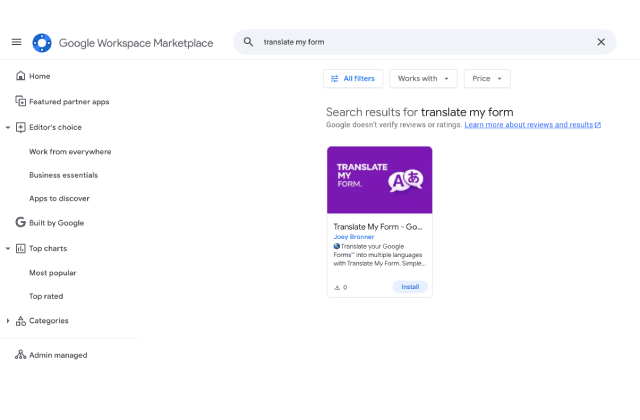
Search "Translate My Form" in the Google Workspace Marketplace and install it

Launch

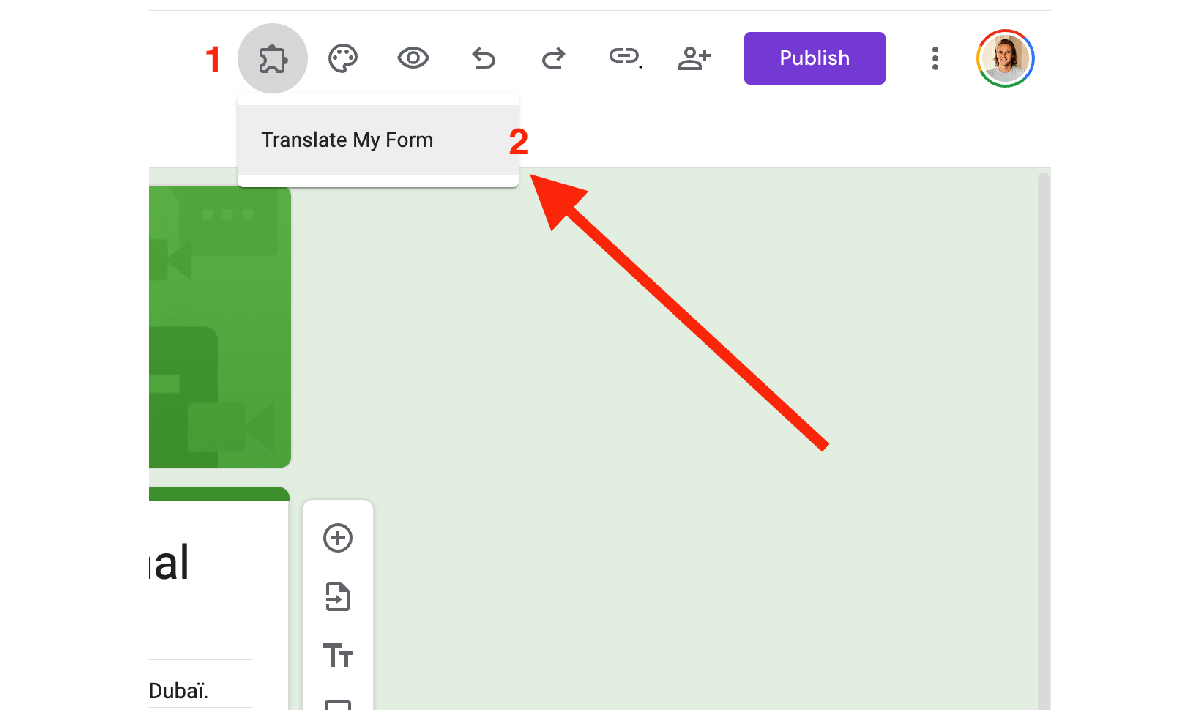
Launch the side panel in the top bar: Extensions > Translate My Form > New translation.

Configure

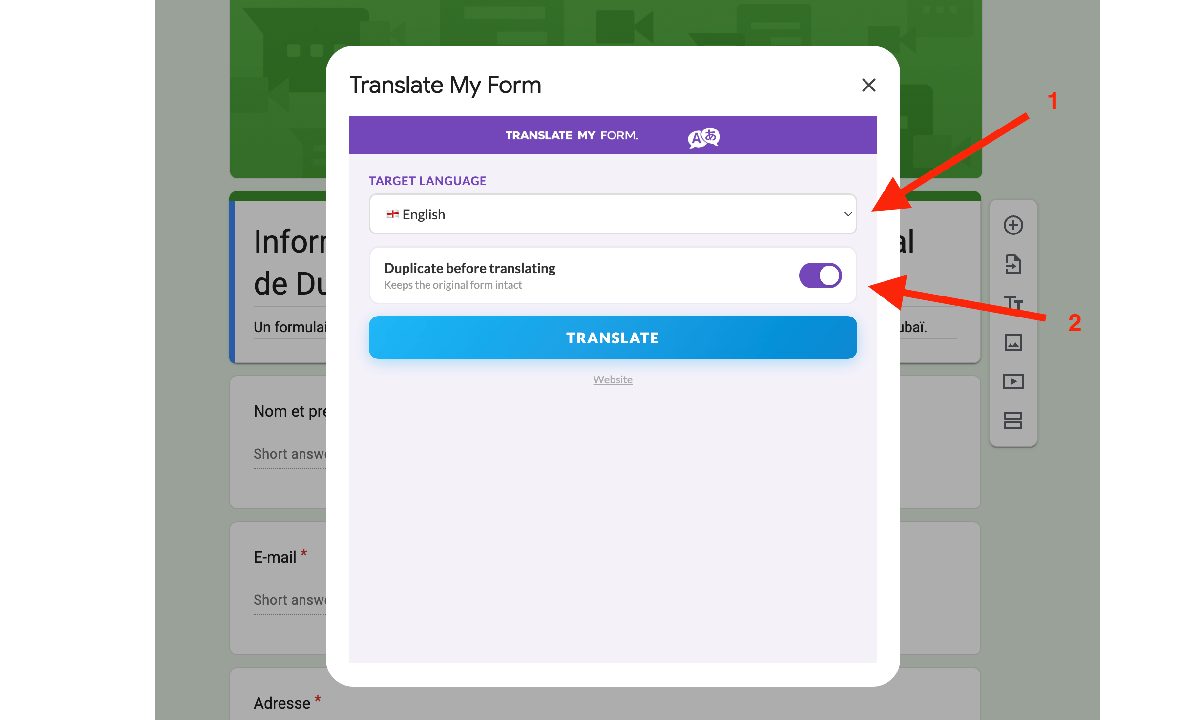
Choose the target language

Run

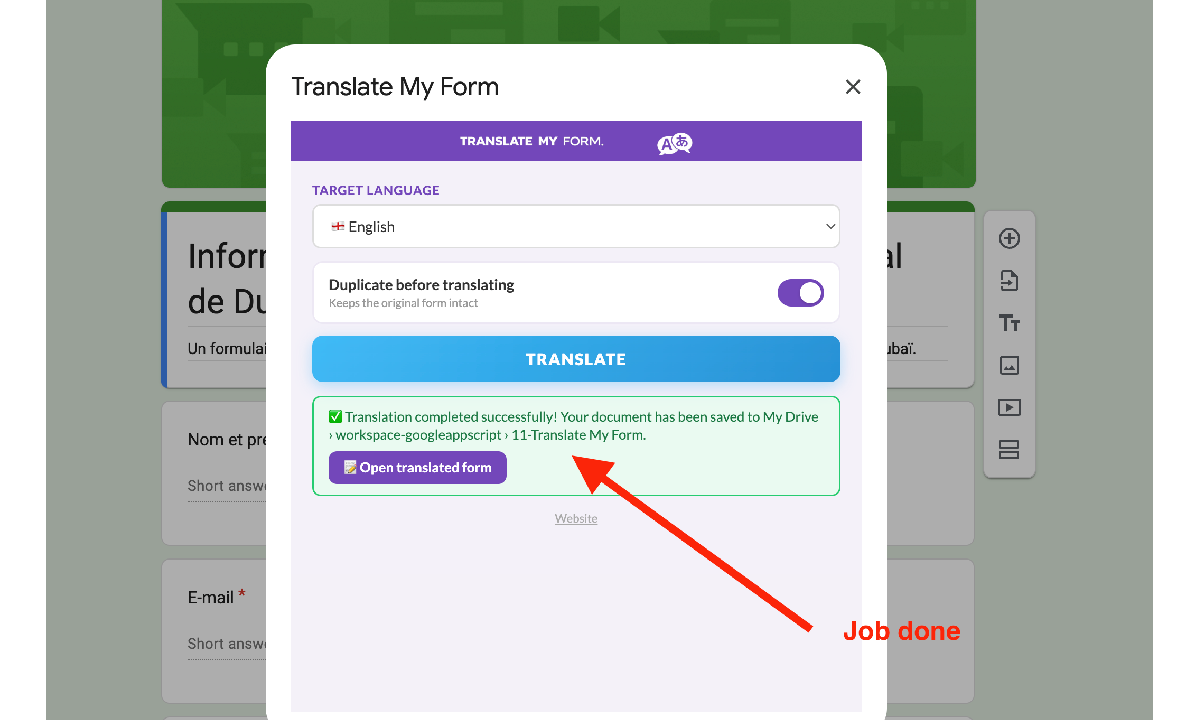
Click the "Translate" button to run the script

Features

Why you should choose Translate My Form

Google Translate™ API

Powered by the official Google Translate™ API — reliable, accurate translations

Completely free

No subscription, no payment, no limit — free to use

100+ languages

Reach any audience in more than 100 languages

Keeps your original safe

Duplicates your form before translating so the original is never touched

Translates everything

Questions, choices, descriptions, section titles — every text field is covered

One click, that's it

Open the add-on, pick a language, hit Translate. Done.

They love it <3

Reviews

Saved me so much time. I was dreading translating my survey manually — this did it in seconds.

Sarah Mitchell
‍
★★★★★
Love that it keeps the original untouched. I can translate freely without any risk of losing my work.
Marco Delgado
‍
★★★★★
Finally got my enrollment form in Arabic. Never thought it would be this easy.
Priya Nair
‍
★★★★★